
- Start with the right Google presence for your business type.
- Give visitors a clear, useful page and an easy next step.
- Measure inquiries and bookings alongside visibility and clicks.
Sources checked September 29, 2026. Company findings are attributed to the original studies; the Sedona examples and action plan are my practical recommendations.
Start with the customer’s question
Imagine a visitor in Sedona looking for a gift shop before dinner. Another person is planning next month’s e-bike ride from home. A local homeowner needs a service provider who actually covers their neighborhood. These are different decisions, even though all three may begin with Google.
Before changing your website, write down the questions people ask when they call you. Where are you? What do you offer? What does it cost? Can I book for Saturday? Do you visit my address? Those questions are a practical starting point for deciding what belongs in your profile and on your pages.
My recommendation is to work through three connected jobs: help the right person discover the business, give them enough information to choose it, and make their next action straightforward. A business can be visible but difficult to contact. It can also have a beautiful website that does not explain the service.
Understand the different places you can appear
A Google Business Profile is a business presence that can appear in Google Maps and local Search results. It is not your website. Local results are primarily shaped by relevance, distance, and prominence: how well the business matches the query, how near it is to the searcher, and how well known it is. Google says you cannot request or pay for a better local ranking. [1]
A website gives you space to explain individual services, products, policies, and the business story. Google’s SEO Starter Guide describes ways to help the search engine discover and understand that content, including useful page organization, descriptive titles, and links. These website tasks complement an eligible profile; they do not replace it. [5]
Maps & Business Profile
Location, business details, and customer feedback.
Your useful pages
Services, products, stories, and answers to customer questions.
For an owner, the distinction changes the work. If customers cannot find your correct hours, examine the profile. If they reach your website but cannot understand the difference between two tours, examine that page. Treating every problem as a keyword problem makes it easy to spend time on the wrong improvement.
Check whether your business qualifies
Google generally requires a business to make in-person contact with customers during its stated hours, subject to its listed exceptions. Online-only businesses are not eligible. It also excludes individual rental or for-sale properties, such as vacation homes; sales or leasing offices can be eligible. Start with the actual business arrangement instead of assuming every Sedona business should have a Maps listing. [2]
A shop customers visit
A genuine customer-facing location may qualify. Represent the real business and its actual location. [3]
A service visiting customers
A business traveling to customer locations can qualify as a service-area business. Hide the address when customers do not visit it. [3]
An online-only seller
Selling online alone does not establish Business Profile eligibility. Focus on your website and the channels customers use to discover the products. [2]
An individual vacation home
The rental property itself is ineligible under Google’s policy. An eligible sales or leasing office is a separate situation. [2]
If your situation falls between these examples, read the complete policy before creating anything. A tour operator’s operating location, a property management office, and a privately rented house need to be evaluated on their own facts. Do not invent a storefront or choose a misleading business type simply to obtain a listing.
Claim and verify the right profile
Begin by finding the business on Google. If a profile already exists, claim or request access to that profile rather than immediately starting another one. Google’s verification guide explains adding or claiming a business and then completing the offered verification process. [4]
Verification methods are determined by Google; the available options depend on the business and cannot simply be selected from every possible method. Follow the instructions shown for your profile. Do not assume a postcard or instant verification will be available, and do not promise a client that the process will finish on a particular day. [4]
Prepare an accurate business name, contact phone, website address, and real-world location or service information before beginning. If the verification process asks you to demonstrate your business, use its specific instructions. Keeping those facts consistent is easier when they have been agreed with the owner first.
- Find an existing profile and establish who manages it.
- Use the actual business name rather than adding a list of search terms.
- Choose categories that describe the business.
- Follow the available verification instructions.
- Record ownership and management access for future maintenance.
Google’s representation guidelines require a real-world business name and accurate address or service-area information. A virtual office is not a substitute for a genuine operating location, and unnecessary information added to the name can lead to suspension. These rules are a reason to describe the business carefully, not to make its profile sound like an advertisement. [3]
Make the website answer the next question
Once the profile or a search result sends someone to your site, the first page should continue the same conversation. My recommendation is to give each main offer an understandable page, with a heading that names the service, useful details, relevant images, and a visible next step. Start with real offers rather than a long list of phrases you hope will rank.
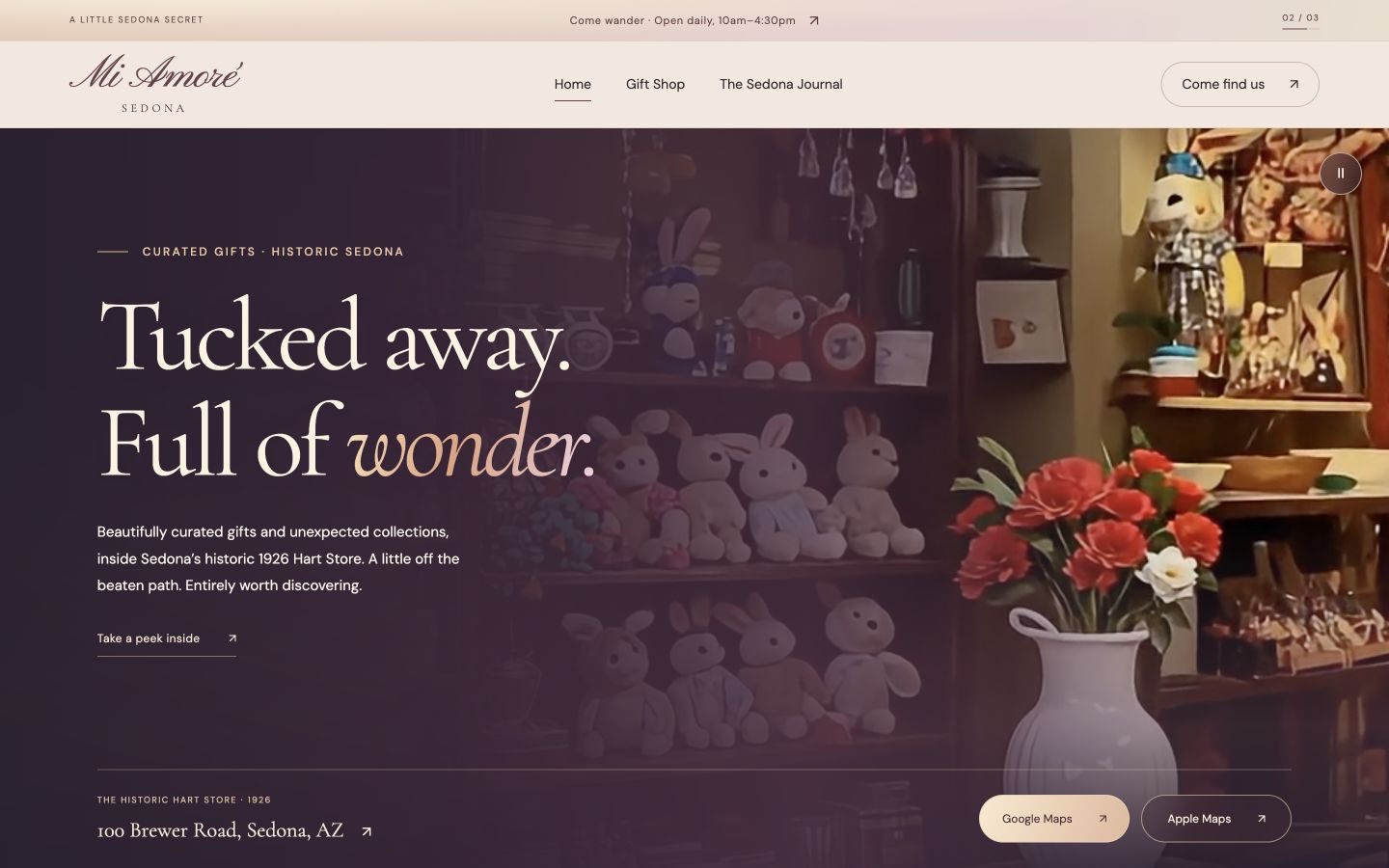
For Mi Amoré Sedona, the shop’s character, gifts, location, and Hart Store history give the website a specific story to tell. For Sedona Explore, the ride options and reservation path matter. Those projects illustrate website decisions in my own work; they are not presented here as measured search-ranking or conversion experiments.
Give the visit a purpose.
- 1What is this place?
The gifts and shop story introduce the business.
- 2Where can I find it?
The street address gives the visit a real location.
- 3What can I do next?
Directions offer a clear route from interest to a visit.
Google recommends helpful content created for the intended audience, with relevant experience and enough substance to accomplish a goal. It does not prescribe a preferred word count. A useful local article might explain a genuinely recurring question in detail; a contact page usually needs a shorter, more direct treatment. [8]
My editorial approach is to gather the information from the owner first: customer questions, actual policies, photos, and the differences between offers. Then write the page around that material. This produces information the customer can use and keeps the business responsible for the accuracy of what it publishes.
Help Google discover the pages you publish
A finished page still needs to be accessible. Check that the important pages can be reached through normal navigation, the mobile layout works, and public pages are not accidentally blocked or marked noindex. Descriptive page titles and image alternative text help communicate the actual content. Use a sitemap to provide a list of the pages you want discovered. [5]
After verifying your website in Search Console, submit its sitemap and inspect the important URLs. The Sitemaps report can show submission or reading problems. Submission is a discovery aid, not a guarantee that Google will index every URL or place it in a particular position. [7]
URL Inspection can explain the indexed status of a page and let you test its live version. The live test and the indexed record answer different questions: a page being accessible now does not mean Google has already indexed that version. Where appropriate, you can request indexing after correcting an issue. [6]
My suggested troubleshooting order is simple: check that the intended page opens, check that links lead to it, inspect its status, and correct the specific issue reported. Repeatedly submitting the same URL is not a substitute for understanding why it was not accessible or useful.
What company experiments tell us about the visit
Search visibility gets someone to a page. Usability determines whether they can read it, make a choice, and complete an action. The following reports address that second job. They provide published evidence about particular websites and participants; none is a Google Maps ranking study or an expected return for a Sedona business.
Vodafone
Controlled performance A/B testVodafone split landing-page traffic equally between an optimized version and a baseline. The versions were visually and functionally identical; the treatment focused on web performance. The company measured loading in real user sessions.
The web.dev case study reports a 31% improvement in Largest Contentful Paint, alongside 8% more sales, a 15% improvement in lead-to-visit rate, and an 11% improvement in cart-to-visit rate. Absolute business values were not disclosed. These are the reported results of that experiment, not percentage-point changes or a universal speed-to-sales formula.
The useful lesson for my website work is to investigate loading as part of the customer experience, even when the visual design stays the same. This study does not establish how a local shop would perform after the same type of change.
Read the original study [9]Rakuten 24
Month-long performance A/B testRakuten 24 compared a performance-optimized landing page with its original for a month, sending half the traffic to each. The report says the versions otherwise had the same visual design and functionality.
Its A/B test reported 33.13% higher conversion rate and 53.37% higher revenue per visitor. The article also contains separate observational comparisons of users experiencing different speeds. Those comparisons should not be confused with the controlled test.
Several performance measures improved together, so the test does not isolate the contribution of one specific optimization. For a small business, I would use this as a reason to measure the whole page experience, not as a promise that compressing an image will produce Rakuten’s result.
Read the original study [10]Sun website content
21-participant usability experimentJohn Morkes and Jakob Nielsen used two Sun whitepapers to compare original and rewritten websites. Twenty-one technical users took part in a between-subjects experiment: each participant used one version. The rewrite tightened text, improved scanning, and organized material into shorter linked pages.
The authors measured task time, errors, memory, and subjective satisfaction. They reported better results across those measures and a 159% improvement in their combined usability score. That score was a normalized composite, not sales or a modern mobile conversion rate.
The study is historical and its participants were technical users. Its practical relevance here is the value of making detailed information easier to find. It does not mean every business should cut its content by a fixed percentage.
Read the original study [11]An observed checkout problem, not another sales experiment
Baymard’s 2025 checkout report describes participants overlooking guest checkout at Room & Board, while an Etsy example made the option easier to find. Its Sephora mobile example placed guest checkout low on the account-selection page. These are usability observations and design examples; they do not establish a measured conversion uplift for those companies. [12]
Baymard also reports a survey of 1,026 US adults who had shopped online in the previous three months: 18% said they had abandoned an order because they did not want to create an account. That is a reported reason in a defined survey, not the percentage of all customers that every website loses. [12]
My application for a local business is to make the required action obvious and examine unnecessary obstacles. If a guest can buy or reserve without an account, the interface should communicate that clearly. When an account is necessary, explain the reason before asking for registration. Check the current behavior of your own booking or commerce provider.
Make the mobile journey easy to finish
I would test the site with a phone and one realistic task: find an available ride, request a quote, or locate the shop. Start from the page a customer actually lands on, not always the homepage. Watch where someone pauses, opens the wrong menu, or cannot understand a label. Those observations give you specific design changes to investigate.
Keep the main task visible without forcing every reader through a long introduction. Put essential facts beside the offer. Use paragraphs and headings that can be scanned, and show a clear label on the action. A button saying “See available rides” communicates more about the next screen than an unexplained “Continue.” These are my proposed design choices, to test with the business’s customers.
From “that looks good”
to “I’m booked.”
See the route, what’s included, and what to bring.
- 01 / CHOOSE
Understand the offer.
Put the route and essential details where people can find them.
- 02 / RESERVE
Make the next step clear.
Let customers check availability, then review the booking details.
- 03 / CONFIRM
Explain what happens next.
Show the confirmation and useful arrival instructions.
For performance, the current Core Web Vitals are Largest Contentful Paint for loading, Interaction to Next Paint for responsiveness, and Cumulative Layout Shift for stability. Google’s good thresholds are LCP at most 2.5 seconds, INP at most 200 milliseconds, and CLS at most 0.1, assessed at the 75th percentile of page loads. Field experience and a single laboratory test are not interchangeable. [13]
Comfortable controls also matter. WCAG 2.2’s Target Size Minimum criterion specifies 24 by 24 CSS pixels, with exceptions such as sufficient spacing and inline links. For primary mobile controls, I generally aim larger than that minimum. That is a design preference for comfortable use, not a claim that every link must be a 44-pixel square. [14]
- Try navigation, phone links, and forms with one hand.
- Check that images do not push the action out of view as they load.
- Keep labels visible while someone types.
- Explain an error near the field that needs attention.
- Test the confirmation and the recovery path, not only the first screen.
Ask for genuine reviews and respond well
Google allows requests for reviews based on genuine customer experiences. It prohibits incentives for reviews or their revision or removal, discouraging negative feedback, and selectively soliciting positive reviews. A discount for leaving a review is not an appropriate shortcut, even if you do not specify how many stars to give. [15]
Google’s review guidance provides review links or QR codes and recommends professional responses. A public reply can answer a relevant question or acknowledge a problem. Keep private order, payment, or personal details out of the response and move sensitive discussion to an appropriate private channel. [16]
These are templates I would adapt to the actual situation, not messages to send automatically regardless of what happened. Only describe an improvement if the business is doing it. Treat repeated review comments as information about the customer journey: unclear parking, confusing confirmation emails, and unexpected requirements may point to work the website should explain better.
For local references, start with real relationships: collaborators, suppliers, community organizations, and clients who have a reason to mention the business. My recommendation is to prioritize accurate, useful information and genuine connections. Keep any paid placement clearly separate from a claim of earned endorsement.
Measure visibility and real customer actions
Search Console’s Search results report provides website search impressions, clicks, queries, and related performance measures. Review the page as well as the phrase. A query that produces impressions but few clicks asks a different question from a landing page that attracts visitors but generates no inquiries. [18]
Business Profile performance measures another part of the journey. Its calls metric counts call-button clicks, and website clicks count visits initiated through its website link. Directions requests are interactions, not proof of a store visit. Available metrics depend on the business, and the report can include organic and advertising activity. [17]
Be found
Search visibility
Be understood
A useful page
Be contacted
A real inquiry
Be chosen
A booking or sale
My recommendation is to keep a monthly note with four things: relevant search visibility, visits to the pages that matter, successful inquiries or completed bookings, and what changed on the site. If you can, also note whether those inquiries were suitable for the business. A jump in general traffic does not explain whether the website is helping you serve the right customer.
Choose consistent definitions. A form successfully delivered is an inquiry; it is not a signed project. A tap on a phone link is not a completed call. A booking button click is not a paid reservation. Measure the confirmed step when your systems allow it, and keep the stages separate when they do not.
Be careful with small samples. If a quiet week produces one inquiry and the next produces two, that change alone does not prove a redesign doubled performance. Demand, season, promotions, traffic sources, and ordinary variation may also have changed. For a small business, combine longer-term patterns with direct customer feedback before drawing a strong conclusion.
Your practical launch checklist
This is the sequence I would use with an owner preparing a first website or improving an existing presence. It combines the policies discussed above with my suggested working process. You can download a plain checklist below or use these steps to organize a conversation with your designer.
- Write down the main customer questions and one primary action for each important page.
- Check Business Profile eligibility for the real operating arrangement.
- Find the existing profile, confirm ownership, and complete the offered verification.
- Review the business name, category, contact information, and applicable location or service details.
- Prepare genuine business photos, current policies, and accurate offer descriptions.
- Connect the profile to a useful website destination.
- Verify Search Console, submit the sitemap, and inspect important pages.
- Try a complete inquiry, purchase, or booking journey on mobile.
- Prepare a neutral request for genuine reviews and a plan to respond.
- Record a baseline and review inquiries, bookings, and customer feedback each month.
Use local resources for the business itself
The City of Sedona’s Economic Development page offers support and resources for people starting, relocating, or expanding a business. The Arizona Commerce Authority’s Business Checklist is another official starting point for researching an idea and the requirements that may apply. A Google profile is not a business license; use the appropriate authorities for licensing and permitting questions. [19] [20]
You do not have to solve every item at once. Choose the next concrete improvement: accurate business information, a clearer service page, a working booking path, or a measurement setup you understand. Then check that it works for the people who use it. That is a more useful conversation than promising to “do SEO” without agreeing what the business needs.
If you would like help, bring the customer questions and the tasks your website needs to support. I can work with you on the website, search foundation, bookings, or connected business tools. The starting point is your business and the people it serves.
Sources & further reading
Official guidance and original research used in this guide. Checked September 29, 2026. Study dates and scope are shown where they affect the interpretation.
- 01Tips to improve your local ranking on Google Google Business Profile Help
Official guidance on relevance, distance, prominence, and accurate profile information.
- 02Business eligibility and ownership guidelines Google Business Profile Help
Eligibility rules, including online-only businesses and individual vacation properties.
- 03Guidelines for representing your business on Google Google Business Profile Help
Real business names, categories, service areas, addresses, and location policies.
- 04Verify your business on Google Google Business Profile Help
Claiming a profile and using the verification methods Google offers.
- 05SEO Starter Guide Google Search Central
Website discovery, useful content, descriptive titles, links, and images.
- 06URL Inspection tool Google Search Console Help
Inspecting indexing status and checking the live version of a page.
- 07Sitemaps report Google Search Console Help
Submitting and reviewing a sitemap; submission does not guarantee indexing.
- 08Creating helpful, reliable, people-first content Google Search Central
Useful original content, relevant experience, and the absence of a preferred word count.
- 09Vodafone: A 31% improvement in LCP increased sales by 8% web.dev · March 17, 2021
A controlled landing-page performance experiment with a 50/50 traffic split.
- 10Rakuten 24 investment in Core Web Vitals web.dev · August 24, 2022
A month-long performance A/B test, separate from observational findings.
- 11Applying Writing Guidelines to Web Pages John Morkes and Jakob Nielsen · January 6, 1998
A 21-participant study comparing original and rewritten Sun whitepaper content.
- 12Checkout UX 2025: 10 Pitfalls and Best Practices Baymard Institute · Updated November 25, 2025
Usability observations and benchmark findings, including guest checkout visibility.
- 13Web Vitals web.dev · Updated October 31, 2024
Current loading, interaction, and visual stability metrics and thresholds.
- 14Target Size Minimum W3C · WCAG 2.2 guidance
The 24 CSS pixel minimum with exceptions, including spacing and inline targets.
- 15Prohibited and restricted content Google Maps content policy
Genuine reviews, prohibited incentives, and restrictions on selective solicitation.
- 16Tips to get more reviews Google Business Profile Help
Review links, QR codes, and professional public responses.
- 17Understand your Business Profile performance Google Business Profile Help
Definitions of profile interactions, including call-button and website-link clicks.
- 18Performance report Search results Google Search Console Help
Search impressions, clicks, queries, and website page performance.
- 19Economic Development City of Sedona
Official support and resources for starting, relocating, and expanding a business.
- 20Business Checklist Guidelines Arizona Commerce Authority
Official starting points for researching a business and applicable requirements.