- Use photos to help choose the next step: a useful reply, another question or an inspection.
- Tell customers what to photograph, what to leave out and what happens after they send it.
- Start with staff review. Add automation only where it improves the whole inquiry process.
Prepared with AI-assisted research and source checks on October 28, 2026. The chair inquiry and proposed website flow are illustrative. No repair diagnosis, pricing system or AI image model was tested for this article.
A photo can get the conversation unstuck
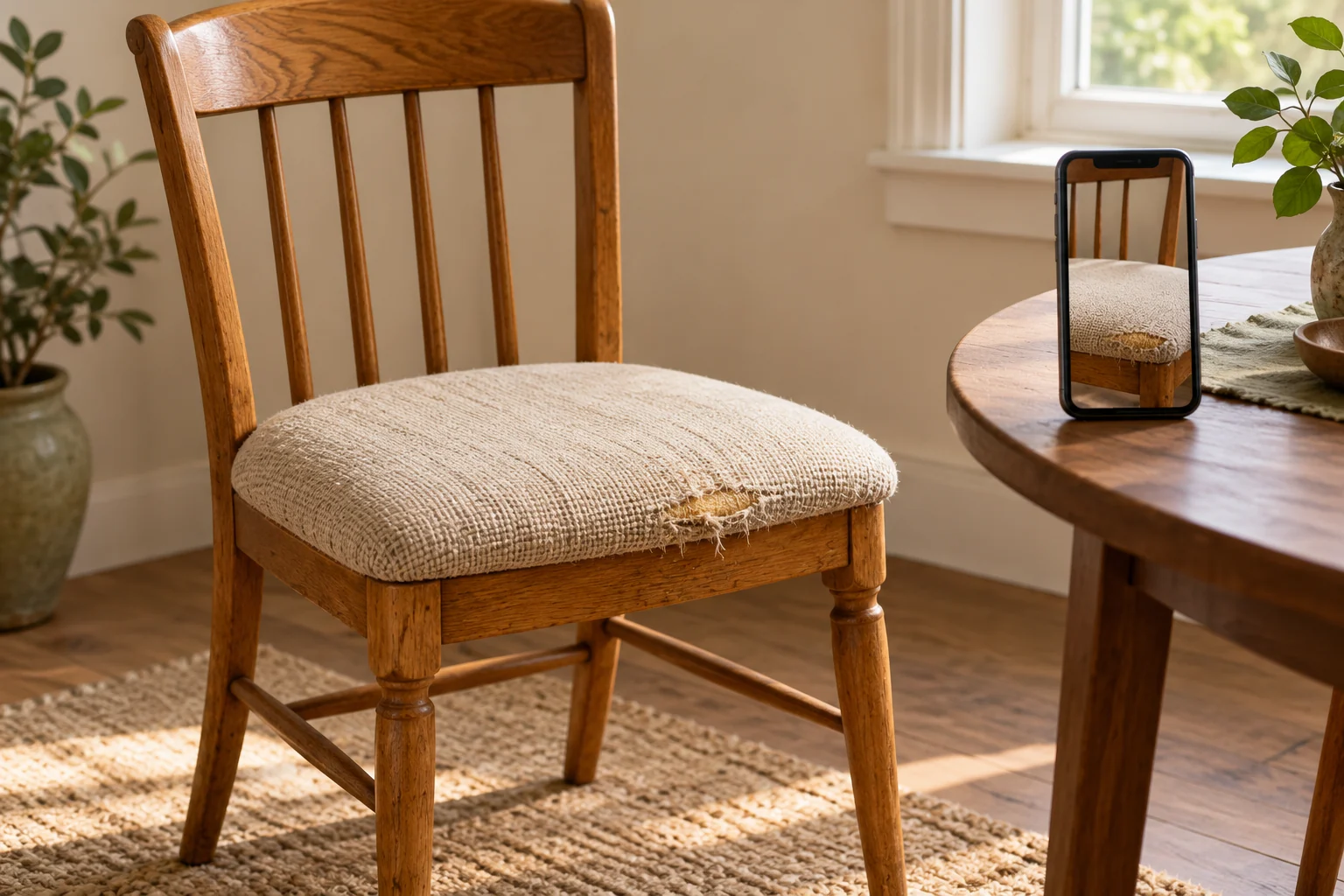
Imagine a small furniture workshop receiving a message about a dining chair. The owner has kept it for years, wants to preserve the wood and is worried about a worn seat edge. “Can you fix this?” is a reasonable question. It simply arrives without enough context.
A website could invite the customer to show the whole chair, add a closer view of the concern and explain the outcome they want. The useful result is a request the workshop can understand before replying. The customer shouldn’t have to learn furniture terminology to ask for help.
This is already a practical service pattern. Dr. Furniture of DC asks customers to email a description and several views, including an overall photo and a close-up with a size reference. Its instructions also acknowledge that photographs may not provide enough information for an estimate and an inspection may be needed. [1] (opens in a new tab)
Putting that conversation on a website could keep the images, question and reply details together. Whether that is better than an existing email or text workflow depends on how your team actually works. A tidy form that nobody checks has solved very little.
Give each photo a job
For our imagined workshop, the first image answers “What are we looking at?” The second shows the area that concerns the customer. A third is optional: a relevant detail or an approximate size, if it can be captured easily and safely. Don’t ask someone to dismantle, lift or balance damaged furniture to satisfy a form.
Then ask a question a photograph cannot answer: “What would you like us to help with?” A customer wanting to preserve an inherited chair may have a different goal from someone checking whether a standard repair is economical. Leave room for “I’m not sure.”
A clearer request
One chair. Worn seat edge. Keep the wood; discuss recovering the seat.
Enough to route the inquiry to the right person.
A confirmed scope
Condition beneath the fabric, suitable work, materials and final price.
A qualified person decides what needs inspection.
The form can ask for a town or service area and a preferred reply method. Save a full collection address for when it is needed. Explain any real inspection fee before someone books it. A response-time promise should reflect the workshop’s capacity, including weekends and busy periods.
The upload instructions should sit beside the control in ordinary text: permitted formats, number of images and size limit. W3C recommends explaining required and optional information and connecting instructions to the relevant fields so assistive technology can convey them. Faint text that disappears when someone starts typing is a poor place for essential guidance. [3] (opens in a new tab)
What should happen after “Send”?
A customer who has attached three images needs to know whether all three arrived. Show a small preview and let them remove the wrong image before submission. If an upload fails, explain which one failed and retain the written message where practical. The final confirmation should distinguish “received for review” from “repair accepted.”
For the chair inquiry, a useful staff reply might say: “We handle this kind of work. We’d like to inspect the seat before confirming the scope. Here’s how an assessment works.” That is an illustrative reply, not a promise this pictured chair is repairable. Sometimes the right response is a specific follow-up question or a clear explanation that the job falls outside the business’s services.
Give the request an owner. Someone must notice it, review the attachments and reply through the agreed channel. If the shop already has a customer system, connect the inquiry there rather than creating another inbox staff must remember to check.
Keep a way to ask for help without photographs. Someone may have difficulty taking a picture, be using a computer without the images nearby or simply prefer to describe the problem. A phone or text-based route keeps the photo feature from becoming a gate.
The first version doesn’t need to identify the damage
Ordinary web forms can let people choose files from a device and upload them. MDN documents this browser capability, including camera-related options. The exact camera or file-picker experience depends on the device and browser, so test the phones your customers use and keep an existing-photo option available. [2] (opens in a new tab)
For a small workshop, an existing form service with suitable file handling may be enough. A custom connection becomes more useful when requests need routing, private staff access or a link to an existing job record. Compare storage limits, access permissions, exports, deletion options and ongoing charges before choosing. The upload button is only one part of the work.
If you later experiment with AI, give it a modest role: propose a short summary for staff to check against the original images and message. Preserve the customer’s words. Don’t let an uncertain visual guess become a confirmed material, a repair instruction or a final price.
There may be no worthwhile AI role at all if staff can review a handful of clear requests quickly. Before using an outside image-analysis service, establish where customer photos go, how they are retained and whether that use fits what you told customers. This article proposes a workflow; it does not demonstrate an AI model’s ability to assess furniture.
A picture of a chair may include someone’s home
Ask customers to frame the relevant item and leave out people, letters and unrelated personal details. Say who will see the photos and why. Set a retention period that fits the work, and make sure your tools can actually carry out deletion. A service inquiry should not silently become permission to use the picture in marketing.
For the builder, OWASP recommends limiting permitted file types and sizes, checking the actual files, generating stored filenames and restricting access. Store inquiry images separately from public website assets; staff access should require authorization. Image processing can remove unnecessary metadata, but processing itself needs maintained software and resource limits. [4] (opens in a new tab)
The browser’s file-type filter is not a security check. MDN explains that it guides selection and can be overridden; the receiving service still needs validation. Treat upload protections as layered controls, with abuse handling and maintenance, rather than assuming that accepting “images only” makes a form safe. [2] (opens in a new tab) [4] (opens in a new tab)
Measure the quality of the next conversation
Start with one kind of inquiry that often needs visual explanation. For a short pilot, record whether staff could give a useful next step on the first reply, how often they needed another photo and how long review took. Compare similar requests with the existing process. Keep customer photos and personal details out of analytics labels.
For example, fewer follow-up messages would be encouraging only if the customer still received accurate guidance and the team wasn’t spending longer sorting uploads. A small pilot can expose confusing instructions; it cannot establish a universal conversion improvement.
If the recurring problem is a missing overall view, improve the guidance. If staff can understand the request but lack time to answer, work on ownership and capacity. If every job still needs a visit, make the photo step optional and explain what it helps prepare.
The opportunity is simple: let people begin with what they can show, then help them understand what happens next. A better first conversation can be a worthwhile website feature on its own.
Sources & further reading
Sources used in this guide. Checked October 28, 2026. Study dates and scope are shown where they affect the interpretation.
- 01A real repair business’s photo-inquiry instructions (opens in a new tab)Dr. Furniture of DC
Its own published workflow requests contextual photos and allows for an in-person inspection when photos are insufficient. No service endorsement or test.
- 02How browser file selection works (opens in a new tab)MDN Web Docs
File selection, camera hints and the distinction between accepted-type hints and server-side validation.
- 03Clear, accessible form instructions (opens in a new tab)W3C Web Accessibility Initiative
Labels, required/optional fields and instructions available to assistive technology.
- 04Protecting uploaded files (opens in a new tab)OWASP Cheat Sheet Series
File validation, limits, permissions, storage and removing unnecessary image metadata; no single control guarantees safety.